What a camera registration laser does on the machine
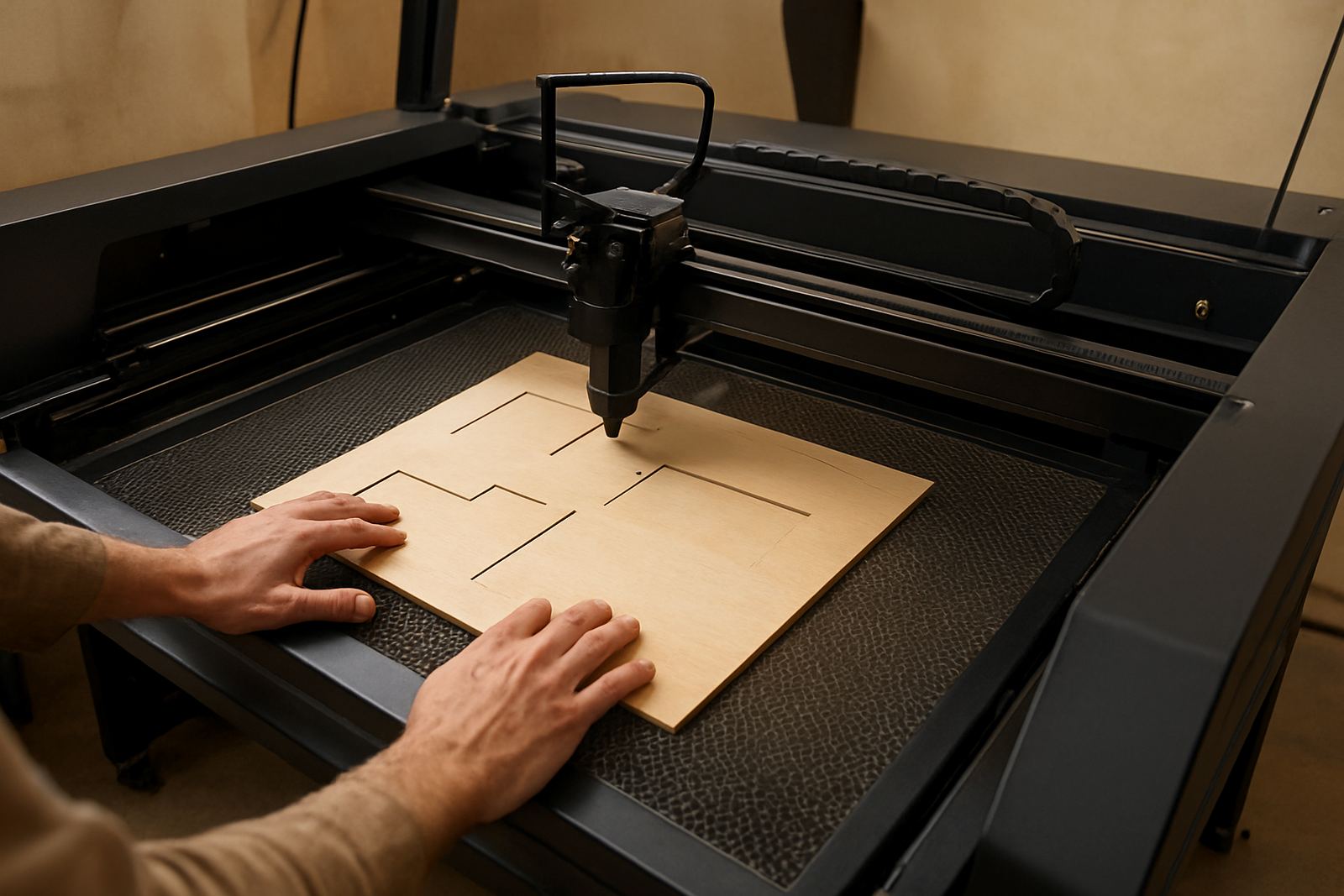
A camera registration laser is fitted to a CO2 laser cutter to help the operator locate printed targets, crop marks or fixed points on the bed. It is mainly used for printed media alignment, contour work and jobs that must land in the same spot every time. For short runs and re-order work, it cuts down on manual measuring and helps keep the first piece and the last piece matching.
On a standard setup, the camera reads the print or registration points and the software uses that information to place the cut path. This is useful when working with labels, branded panels, wedding items, décor parts and mixed material sheets. It is also handy where the artwork has a slight shift from print to print, which happens more often than people expect.
The unit is normally mounted in the cutting head area or on a fixed bracket, depending on the machine size and controller arrangement. The important part is stable mounting and correct calibration, because a loose fit can throw off the position by a few millimetres. That might not sound like much but on detailed work it shows straight away.
Typical sizes, lens setups and camera options
Camera registration systems are selected to suit the bed size, working area and the sort of jobs being run. Smaller workshop machines may only need a compact camera unit, while larger beds or nested sheet work can benefit from a wider field of view. For most users, the aim is not fancy extras, it is clear mark detection and accurate repeat positioning.
- Compact camera module for smaller working beds and fine detail work
- Wide view option for larger sheet layouts and multiple marks
- Fixed mount package for steady, high repeat jobs
- Adjustable mount option for different head heights and service access
- Software-linked marking system for contour paths and batch work
Some setups are better for a single mark and path, while others can read several marks across a sheet. If you are cutting printed acrylic panels or leather pieces with a lot of repeated shapes, a multi-mark system can save time and reduce manual repositioning. We normally advise matching the camera view to the real sheet size, not just the machine bed size.
Where it fits best in South African production spaces
This product suits signage shops, print finishing rooms, craft makers, display fabricators and light industrial users who need cleaner alignment. In Johannesburg and surrounding areas, it is often chosen for repeat custom work, especially where batches change from week to week. It also helps when training new operators because the setup process becomes easier to follow.
It is a practical fit for workshops in Wynberg, Sandton, Midrand, the East Rand and the West Rand, and it also works well for Durban and Cape Town users dealing with coastal humidity and changing material conditions. Printed sheets can shift a little more in humid weather, so camera-based alignment gives a better chance of getting the cut right first time. For businesses handling local orders with quick turnaround, that matters.
- Printed acrylic and acrylic face panels
- Wood signage, décor parts and layered cut-outs
- Leather goods, patches and sample production
- Short-run custom labels and repeat branded items
- Educational, maker and small batch production work
For sites where load-shedding is part of daily planning, the camera system should be paired with stable power protection so the calibration does not get knocked around by sudden stops. If the machine is moved between rooms or floors, the camera should be rechecked after relocation. It is a small step, but worth it.
Installation, power and machine compatibility
Installation should be done by a technician who understands both the laser controller and the camera software. The camera must be mounted square, the lighting must be set correctly and the registration workflow must match the operator process. If the machine is not level or the bed is not true, the system can still work but the results may drift on larger sheets.
The power need is usually modest, with the camera drawing low voltage through the control system rather than needing a heavy supply of its own. The main requirement is clean, steady electrical support for the laser machine and connected computer. In many workshops that means surge protection, proper earthing and a sensible shutdown routine during outages. Where compressed air or extraction is already part of the installation, those systems should stay in place as normal.
Compatibility depends on the controller, software version and the machine frame. Before ordering, it helps to confirm whether the head mount is available, whether the bed size matches the field of view and whether the software supports contour import. That saves back and forth later on, especially when a machine has been modified in the field.
Care, cleaning and service checks
Like any alignment system, the camera must be kept clean and checked regularly. Dust, resin smoke and fine debris can build up on the lens cover and reduce clarity. In wood and leather work this can happen quite quickly, so the cleaning schedule should be part of normal workshop maintenance, not something left for when trouble starts.
Routine care is simple and should include the following:
- Wipe the lens cover with a proper non-scratch cloth
- Check the mount screws for vibration loosening
- Verify focus and mark recognition after every move
- Inspect cabling for wear near moving parts
- Confirm software settings after updates or power interruptions
If the machine is used all day, a monthly alignment check is sensible, with more frequent checks in dusty rooms or where extraction is poor. During service visits we often find that the problem is not the camera itself but a dirty lens, a shifted mount or a print mark that was changed without the operator knowing. Those are quick fixes when caught early.
What to check before you order one
Before ordering, it helps to know exactly what you want the camera system to do. A simple mark finder is fine for some shops, while others need precise contour support for repeated brand work. The wrong choice can leave the operator doing extra manual steps, which takes away the value of the upgrade.
- Machine bed size and usable cutting area
- Whether you cut printed media, leather, wood or mixed jobs
- The number and type of registration marks used
- Software and controller compatibility
- Mounting space around the head and gantry
- Power stability and backup plans for load-shedding
- Whether installation, operator training and support are needed nationwide
It also helps to think about who will run the machine day to day. If different operators share the same cutter, a camera system with a straightforward workflow is usually the better choice. For busy sites in Johannesburg, Pretoria and the coastal centres, that keeps production moving without too much hand-holding. If you are unsure, send through the machine details and the type of work you do, then choose the setup that fits the job properly.
Key facts
| Product type | Camera registration laser system for CO2 laser cutters |
|---|---|
| Main use | Printed media alignment, contour work and repeat positioning |
| Material suitability | Acrylic, wood, leather and printed sheet goods |
| Mounting | Fixed or adjustable bracket, depending on machine layout |
| Power requirement | Low voltage camera supply through the control system |
| Support | Installation, operator training, servicing and remote support nationwide |